Load in, build, show, strike. One file the whole crew works from.
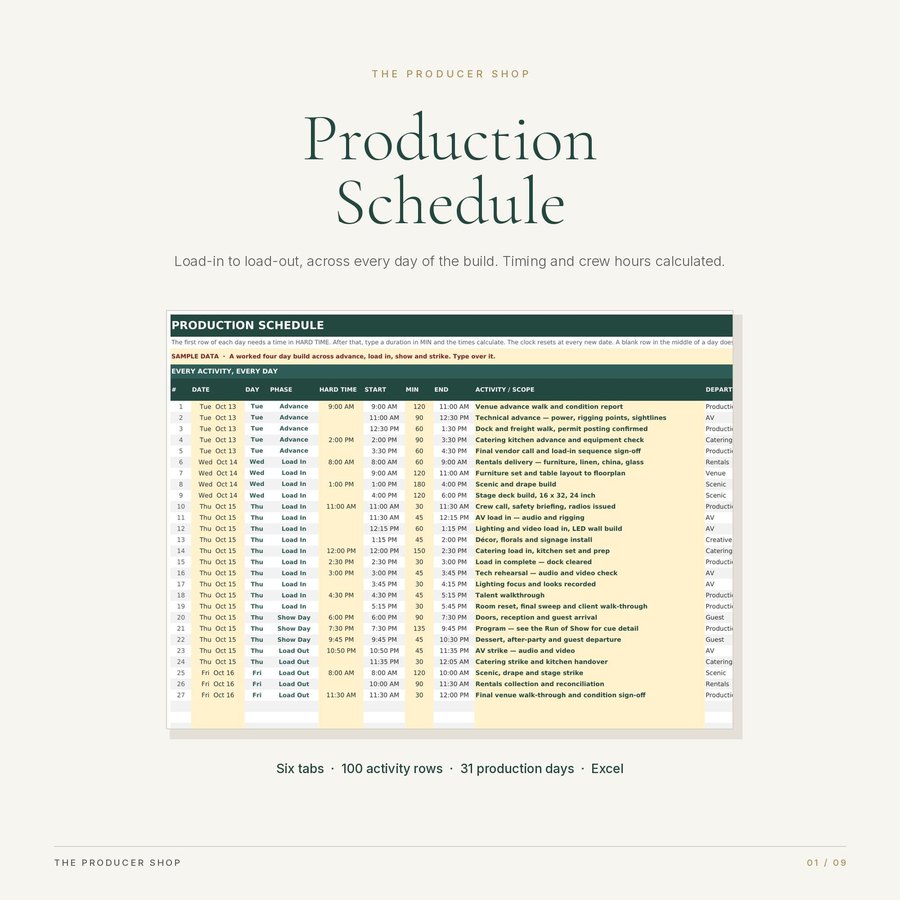
A schedule that lives in your head is a schedule nobody else can run. The moment you are in a lift with no signal, or at the dock signing for a truck, the people upstairs need a document that answers their question without you.
This is that document. One row per activity, across every day of the production, with an owner, a status, a priority and a crew count on each line.
Type a duration, not a time
Put a hard time on the first row of each day, then type durations in minutes. Every start and end time down that day calculates itself. The floor gets an extra ninety minutes, you change one cell, and the rest of the day moves.
The clock resets at every new date, so a build day that ends at 11 PM does not push the next morning's crew call to lunchtime. Days that run past midnight are handled in both directions.
Crew hours, calculated
Enter a crew count on each row and the day summary multiplies crew by duration. That is the number you hold a labour quote against, and it is the number you want before you approve the invoice rather than after.
The day summary gives you first call, last out, elapsed hours, activity count, crew hours, and what is completed or blocked, for up to thirty-one production days.
It tells you what is missing
The dashboard is calculated. Nothing on it is typed.
Anything blocked. Critical items still open. Lines with no date, no owner, no duration or no crew count. Days with no start time. Any date on the schedule that is not on the day summary, so its hours are never quietly left out of your totals. Text typed into a cell that has to be a number.
Every check stays blank until you have started the file, so a fresh workbook does not tell you everything is fine before you have typed anything.
Six tabs
Start here. Event setup, which holds the venue, the dock and freight detail, wifi, the on-site emergency contact and the nearest emergency room. The production schedule itself, one hundred rows. The day summary. The dashboard. And a distribution log, which records who has the schedule, in what format, which version, and when they last got it.
That last tab exists because the question on site is never "what does the schedule say", it is "which version are you looking at".
How it differs from the run of show
This file works in days. Every activity across the whole production, by department, with crew counts.
The Run of Show works in minutes. Show day only, cue by cue, for the person on headset.
Build this one first. The show day rows here become the run of show.
Who buys it
Event producers, venues, stage and production managers, hospitality teams, agencies and cultural institutions. Anyone who calls load in.
What you download
One ZIP, three files. The workbook with six tabs, a short start here guide, and a page explaining what else in the shop overlaps with it.
A four day worked example is already in the file: advance, load in, show day and strike, twenty-seven activities, real durations, real crew counts, a show day that runs past midnight, and a filled distribution log. Read it, then type over it.
Get the Event Production Schedule Template on Etsy, $18